Compliance Assistant
Every location, every rule. Automatically compliant.
Overtime, breaks, minimum wage, contributions — the right rules are already in place the moment you set up a new location. Your schedules are compliant from the first shift you publish. No spreadsheets. No guesswork. No risk.
The problem
Same business. Different location. Different rules every time.
Every new location brings the same manual work: overtime thresholds, break requirements, minimum wage, labour contributions, all patched together by hand before a single shift is published. Schedules published on instinct, not certainty. Labour costs that never quite add up. And the feeling that something's been missed.
What changes
Rules by default
Every new location inherits the right rules by default.
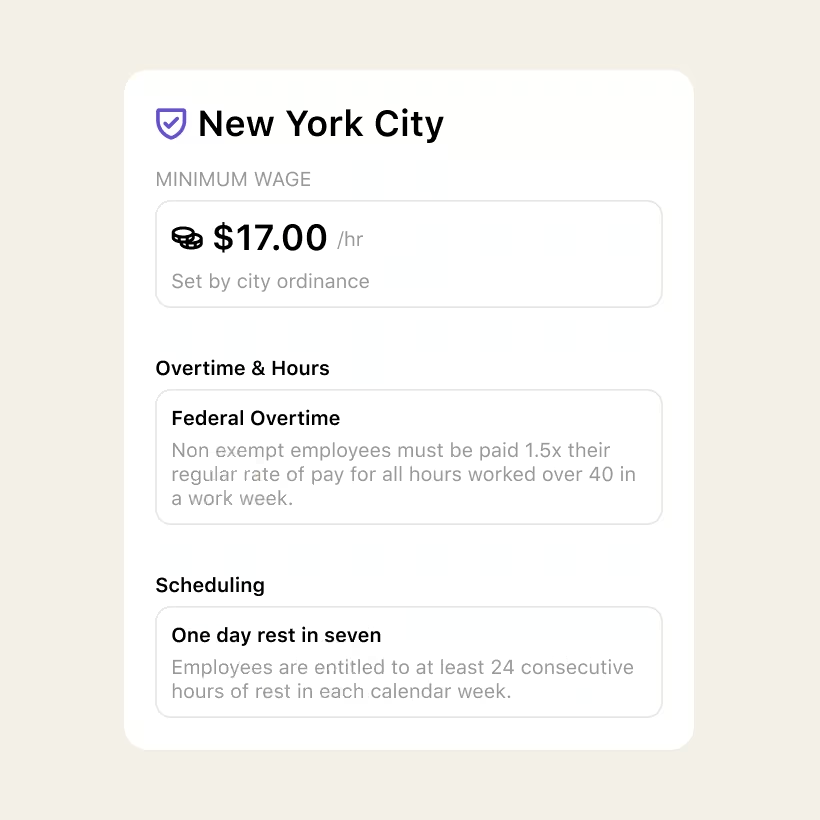
Overtime thresholds, break requirements, days of rest, minimum wage, employer contributions. Applied based on where the location operates, from the moment it's set up. No manual configuration. No guesswork.

Full visibility
You see exactly what is applied and why.
No black box. Opt in or out of any rule, per location. You see what's active across every site and you control what gets adjusted. If a rule doesn't fit your business, you switch it off.

Accuracy
Your cost of labour is finally accurate.
When the right rules are applied to every location, your Cost of Labour figures catch up too. Real premiums, real contributions, real numbers behind every scheduling decision you make.

The right workforce rules for every location's jurisdiction are applied from the moment it's set up. Overtime, breaks, days of rest, student hours, minimum wage, employer contributions. Nothing to configure. Nothing to look up.
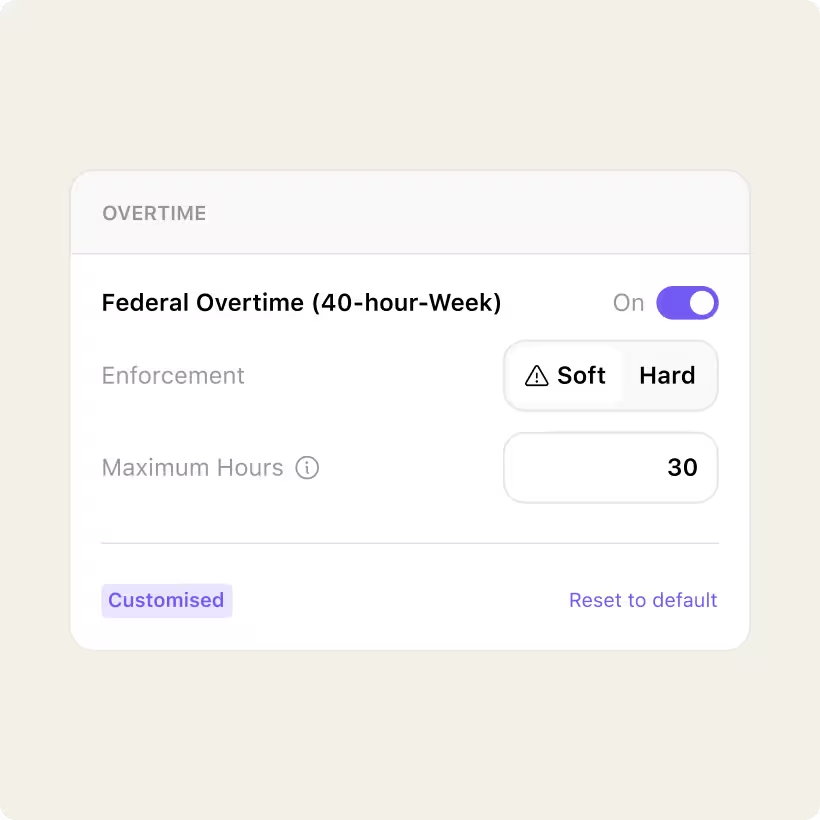
See exactly which rules are active for each location and why. Opt any rule in or out with full visibility of the trade-off. Set what's a hard block versus a soft warning. No black box.
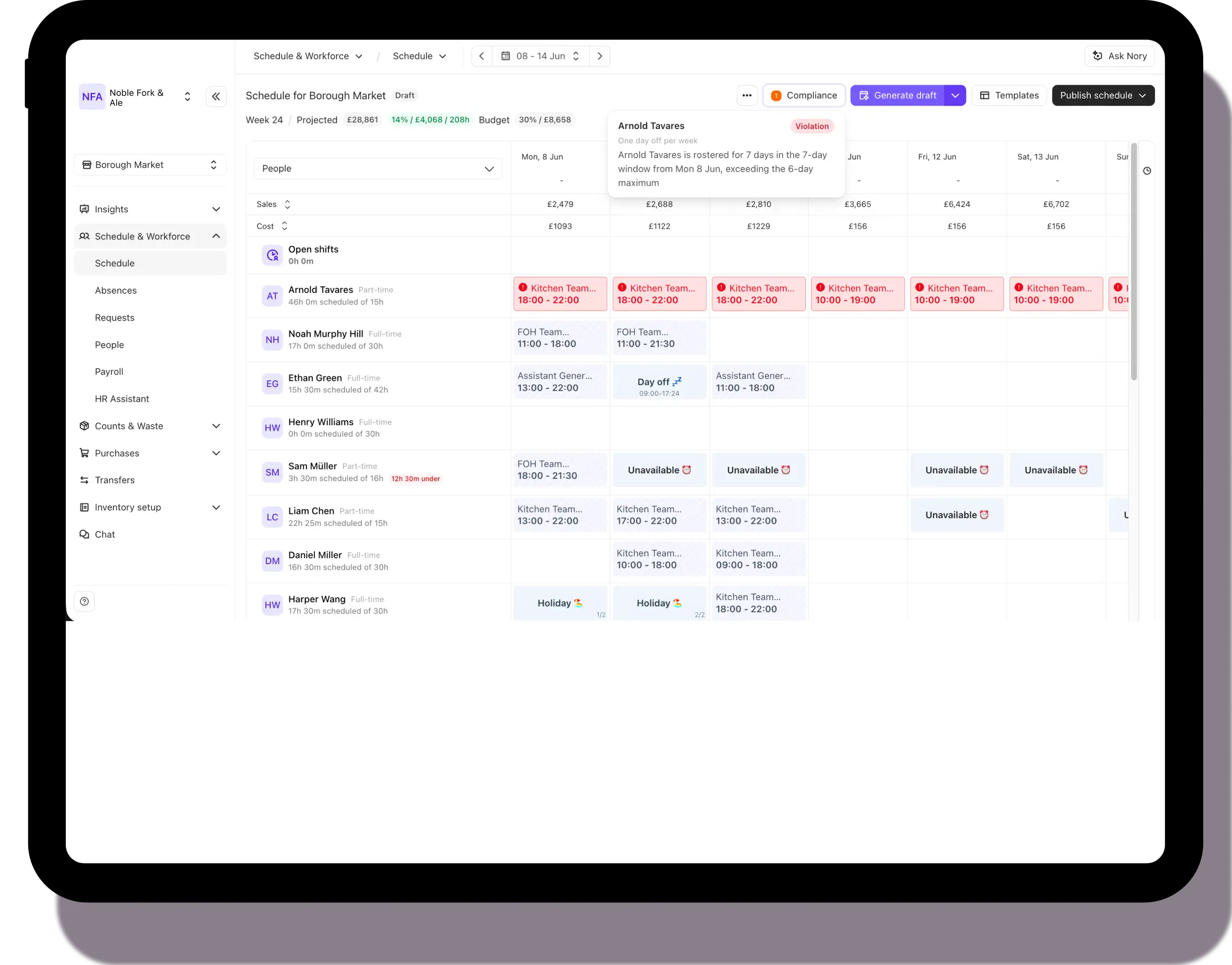
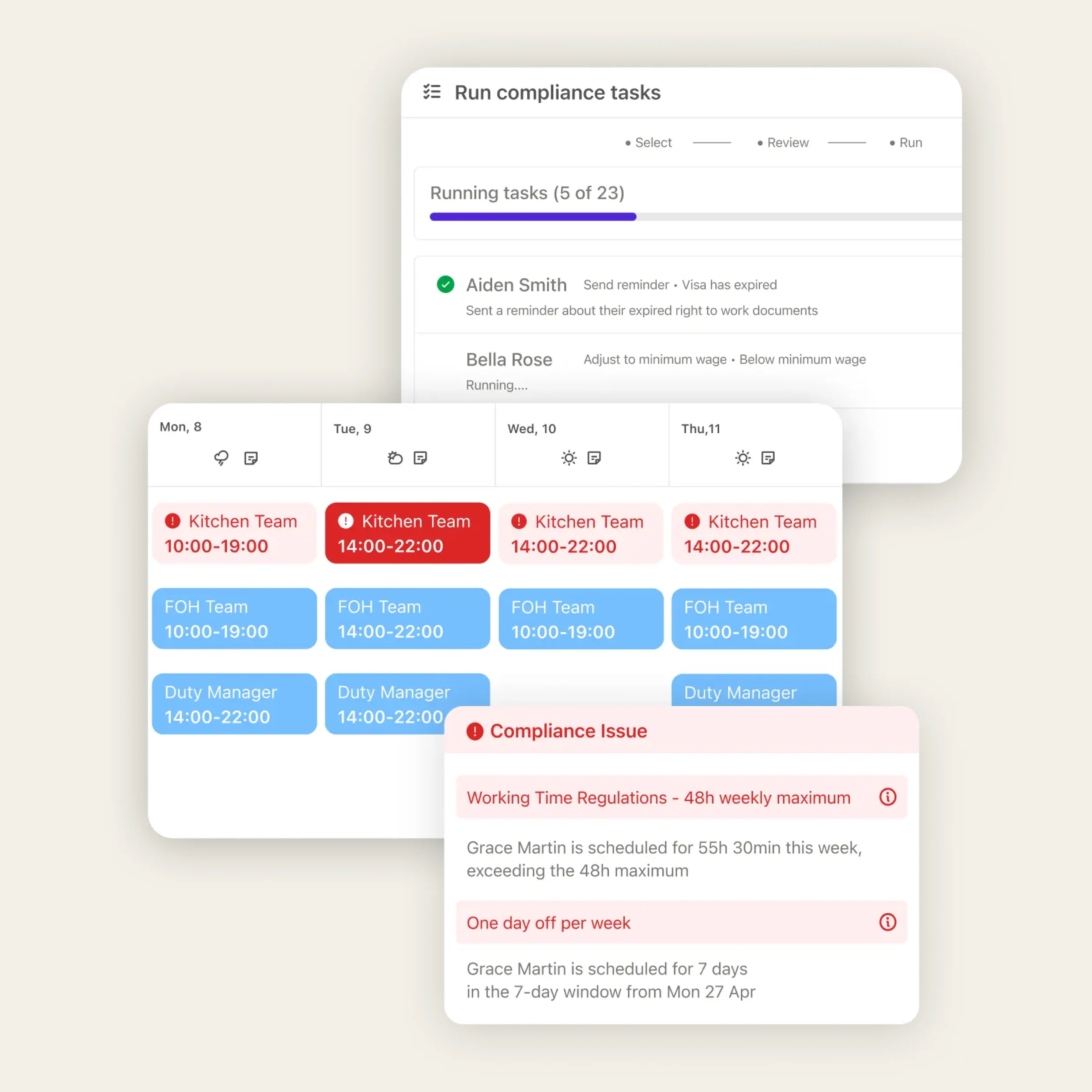
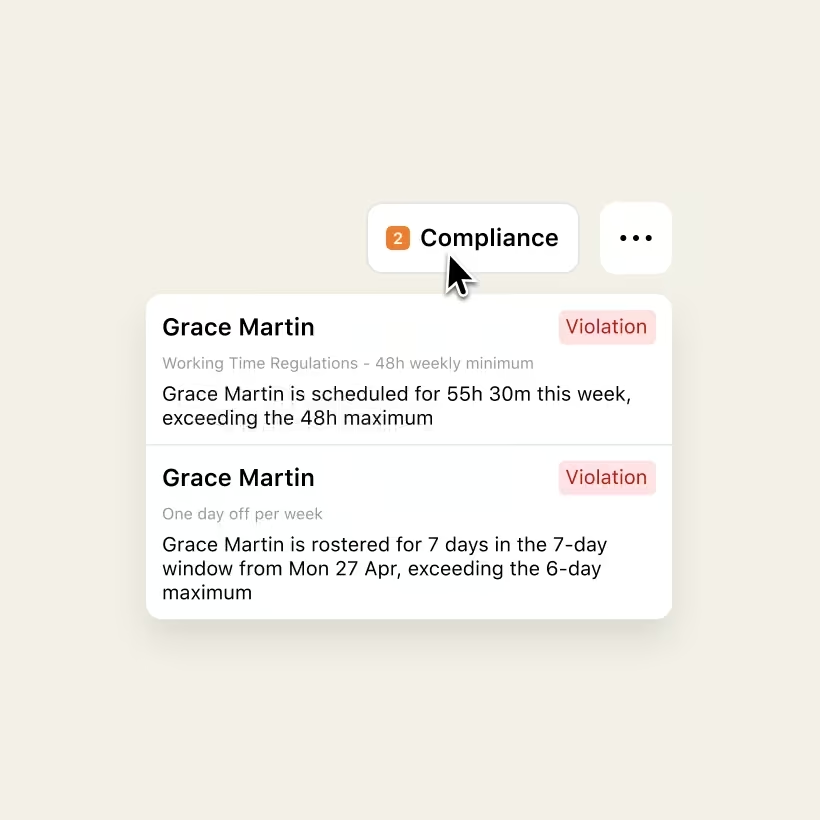
When the Scheduling Assistant builds your rota, compliance rules run in the background. Violations surface before you publish — not after. And jurisdiction-accurate cost of labour flows straight into every scheduling decision.
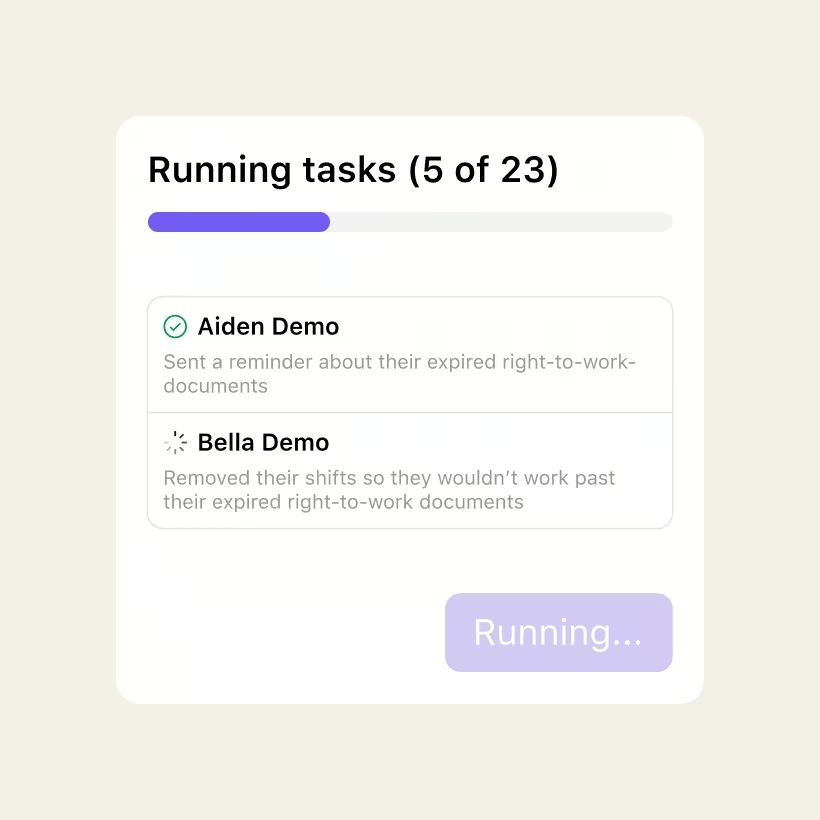
Nory surfaces the compliance tasks that actually need your attention and guides you through resolving them in the right order. Every schedule is published with confidence, not crossed fingers.
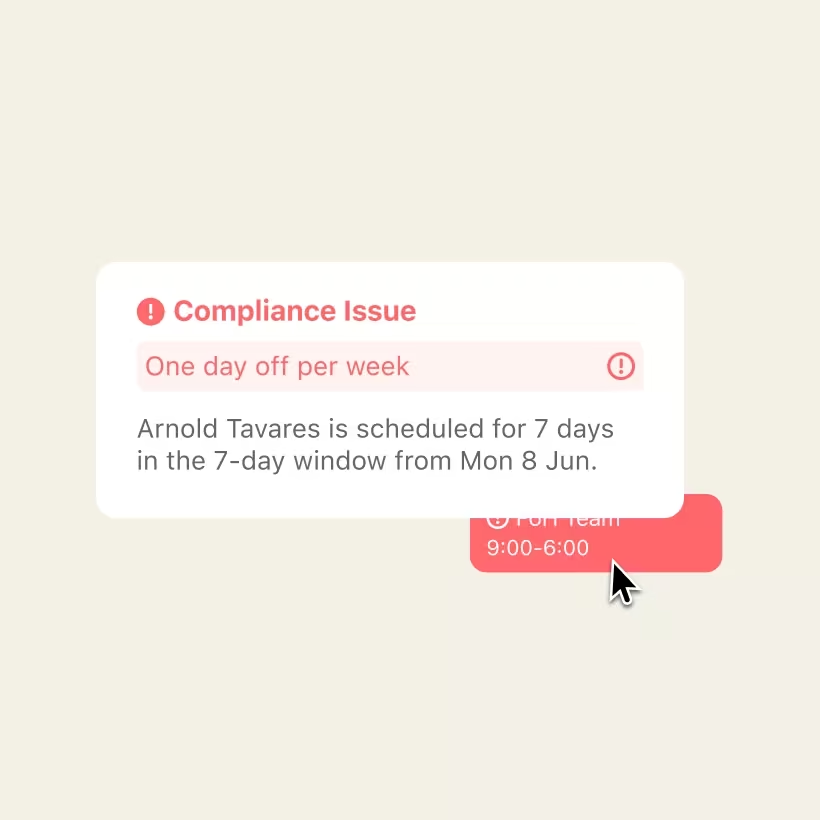
See exactly what's applied and why. Opt any rule in or out. No more checking and second-guessing. You stay in control. Your team stays protected.
Frequently asked questions
How does it know which rules apply to my location?
When you set up a location in Nory, the Compliance Assistant applies the right workforce rules based on that site's jurisdiction — country, region, or state. Overtime thresholds, break requirements, minimum wage, employer contributions. No manual configuration needed.
What if a rule doesn't apply to my business?
You can opt out of any rule that doesn't apply, per location. For rules that affect scheduling, you choose whether they block publishing or simply flag a warning. You're in control of what's enforced and what's advisory.
Does it stay current when regulations change?
Yes. When workforce rules are updated for a jurisdiction, the Compliance Assistant reflects those changes across every affected location. You don't need to track legislative updates yourself.
Which countries does it cover?
At launch, the Compliance Assistant covers the UK, Ireland, and the US — including state-level rules for US locations. More jurisdictions to follow.
How does this affect my cost of labour?
When the right rules are applied to every location, your Cost of Labour figures finally reflect reality — real premiums, real contributions, real overtime thresholds. That accuracy helps you stay in control of your labour spend and avoid unexpected premiums or non-compliance fines that hit your P&L after the fact.
Ready to transform your compliance?
One crew. One system. Every location compliant before you publish a single shift.