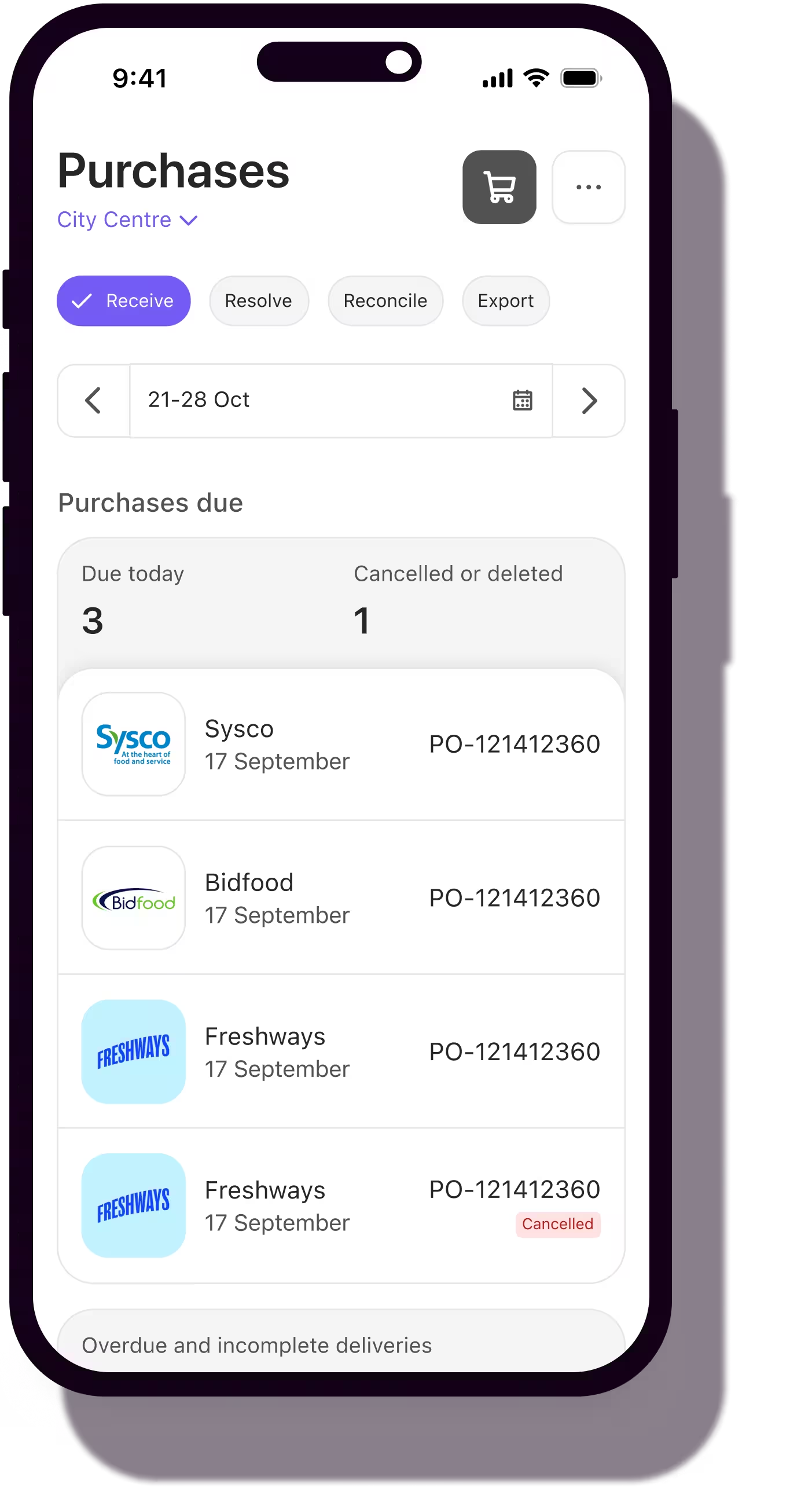
Invoicing Assistant
Stop checking every invoice. Start catching every problem.
Purchase orders, delivery notes, invoices already in Nory. The matching runs itself. Your team reviews only what's wrong.
The problem
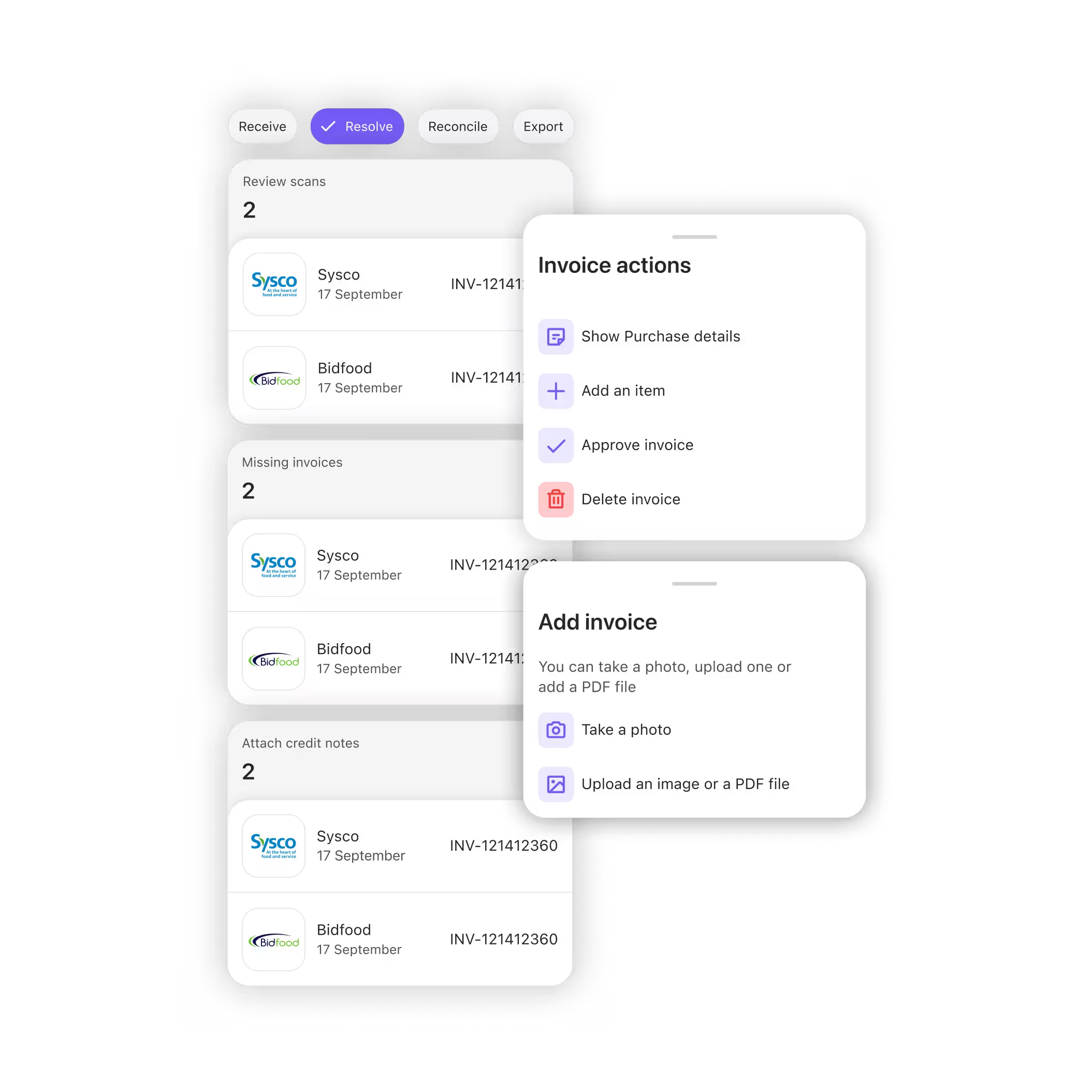
Every invoice means opening three documents. Every time.
The purchase order. The delivery note. The invoice. Someone pulls all three together, line by line, for every supplier, every delivery, every site just to confirm you were charged what you agreed to pay. Overpayments slip through. Supplier prices drift and no one catches it in time.
What changes
Time back for your team
Your team reviews exceptions, not every invoice.
Purchase orders and delivery notes are already in Nory. So when an invoice lands, the match runs itself. Clean invoices are ready to approve in one click. Your team only opens what isn't.

Every discrepancy caught
Every price. Every quantity. Checked before approval.
Every line checked: quantity against the delivery, price against the purchase order. Anything that doesn't match gets flagged before approval. Supplier pricing drift caught before you pay it, not three months later.

Built to scale
10 sites or 40, the checking doesn't grow.
Manual review breaks down as you add sites. Automated matching doesn't. One system checks every invoice, every supplier, every location, so your team keeps pace as you grow instead of drowning in paperwork.

When an invoice or delivery note lands, Nory matches it against your purchase order and goods received note, line by line, using item codes. No manual trigger. It runs the moment the documents are there.
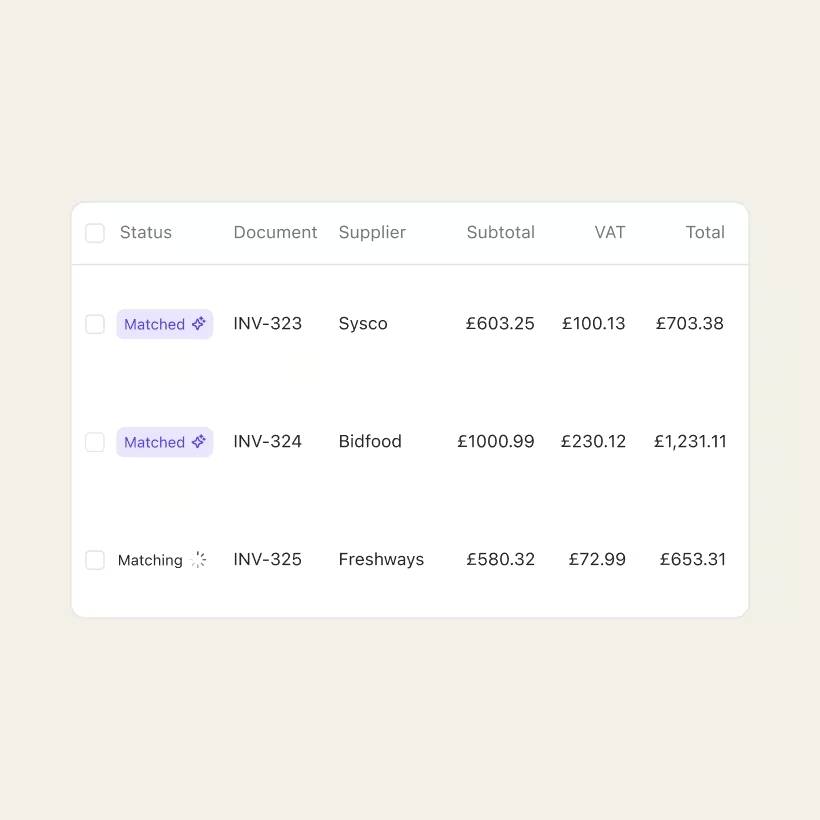
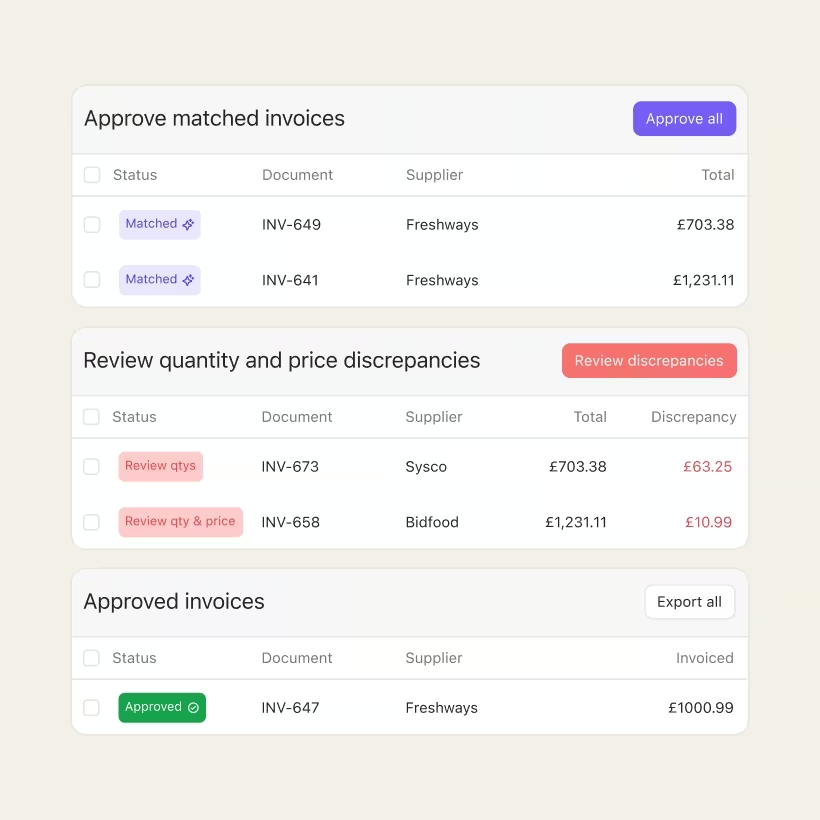
Each invoice gets a clear status. Approved when everything lines up. Price issue when the invoice price doesn't match the purchase order. Quantity issue when it doesn't match the delivery. Duplicates and missing documents are caught before matching even starts.
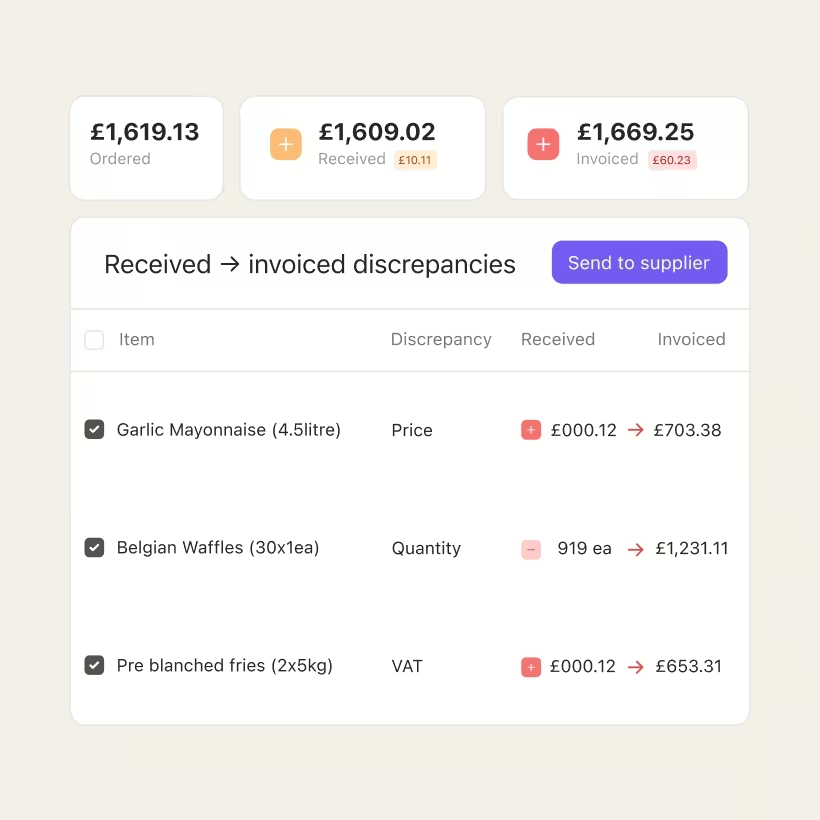
Clean invoices are already matched and ready. Your team opens the flagged ones, the price issues and the quantity mismatches, and sees exactly what's off and why. No hunting through documents.
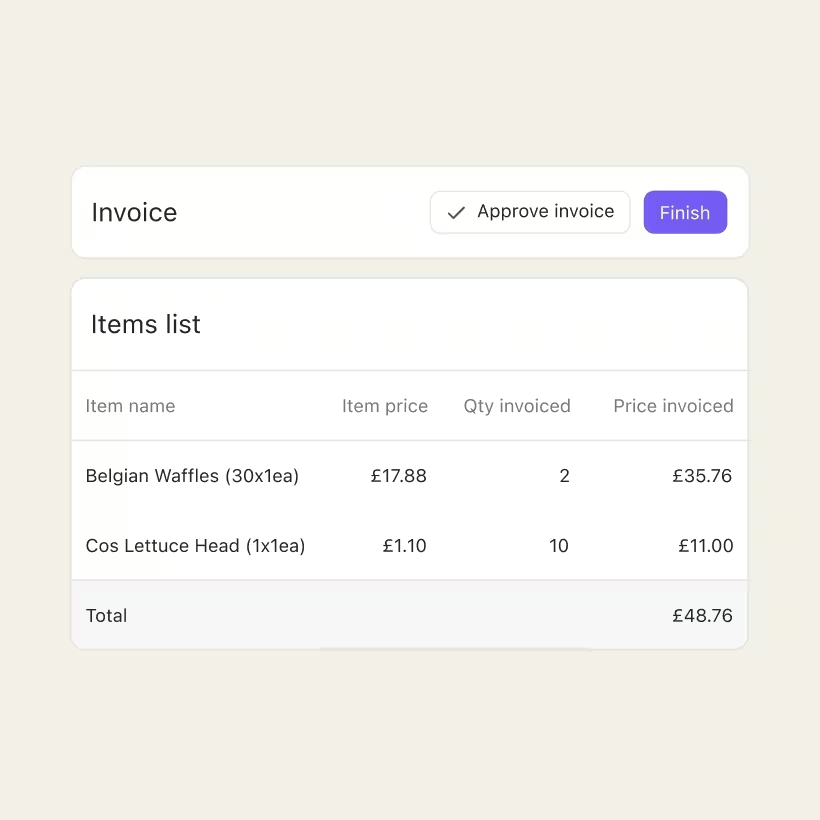
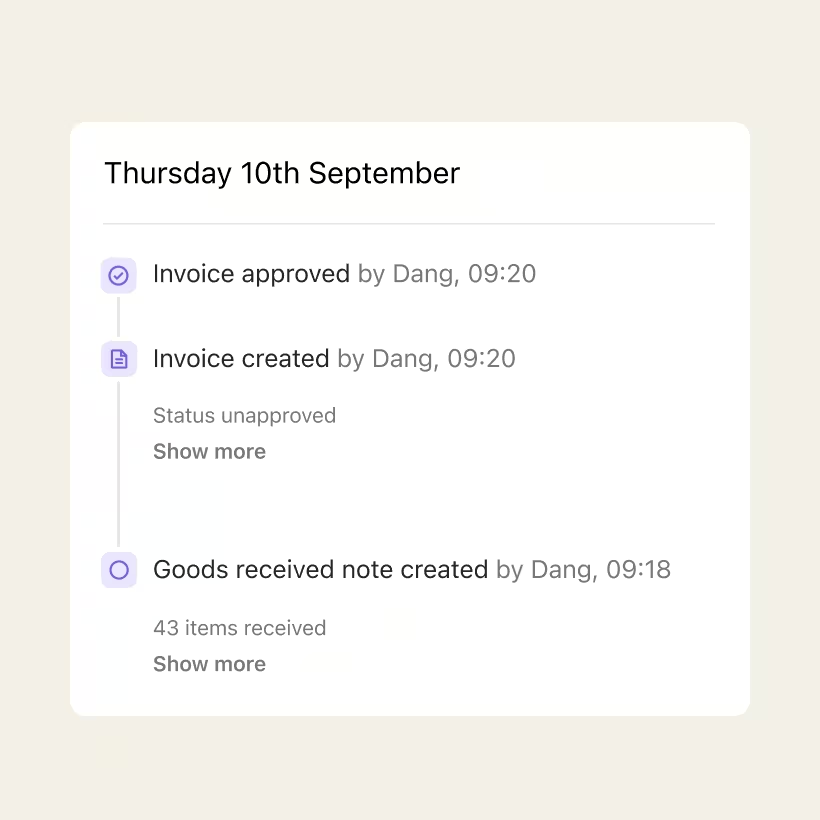
Approve a clean invoice, or override a flag once you've reviewed and accepted it. Every decision is recorded. When you need to show why an invoice was approved, the trail is already there.
Nory does the matching and flags what's off. It never approves a discrepancy or pays anyone on its own. You review, you decide, and the final say is always yours.
Frequently asked questions
How does the matching work?
Nory holds your purchase orders and, when a delivery is logged, your goods received notes. When the supplier invoice arrives, it's matched against both: quantity checked against the delivery, price checked against the purchase order, line by line using item codes. When all three documents are present, that's a full three-way match. When there's no purchase order, Nory matches the invoice against the delivery for quantity. It runs automatically, the moment the documents are in.
What happens when something doesn't match?
The invoice gets a clear status (price issue, quantity issue, or both) and waits for review. Clean invoices are matched and approved automatically, so only the exceptions reach your team. You see exactly what's off, review it, and either resolve it or approve with a note. Nothing with a discrepancy is approved without a person.
Can I still override a flag?
Yes. Once you've reviewed a discrepancy and accepted it, you can approve it manually, and that decision is recorded in the audit trail. One thing to know: a manual approval is final. The engine won't re-evaluate that invoice afterwards, even if the underlying documents change later. It's there for when you've genuinely reviewed and accepted an exception, not as a shortcut.
What about duplicate or missing invoices?
Before matching runs, Nory pre-checks for duplicates and missing documents. A duplicate invoice or a missing delivery note is caught up front. Fix the root cause and the match re-runs on its own.
Do I need to be using Nory for purchasing already?
The matching works because Nory already holds your purchase orders and delivery notes. If you're managing purchasing and deliveries in Nory, invoice matching plugs straight in. If you're not yet, we'll set that up as part of onboarding.
What happens after an invoice is approved?
Invoicing Assistant does the matching, flags the exceptions, and gives you a clean approval. From there it slots into your existing accounts payable process. Nory doesn't move money on its own.
Is there a record of who approved what?
Every decision is logged, whether the engine approved a clean invoice or someone reviewed and approved an exception. When finance or an auditor needs to see why an invoice was approved, the trail is already there, per invoice, per line.
Done checking line by line?
One crew. One system. Every invoice matched before a single payment goes out.