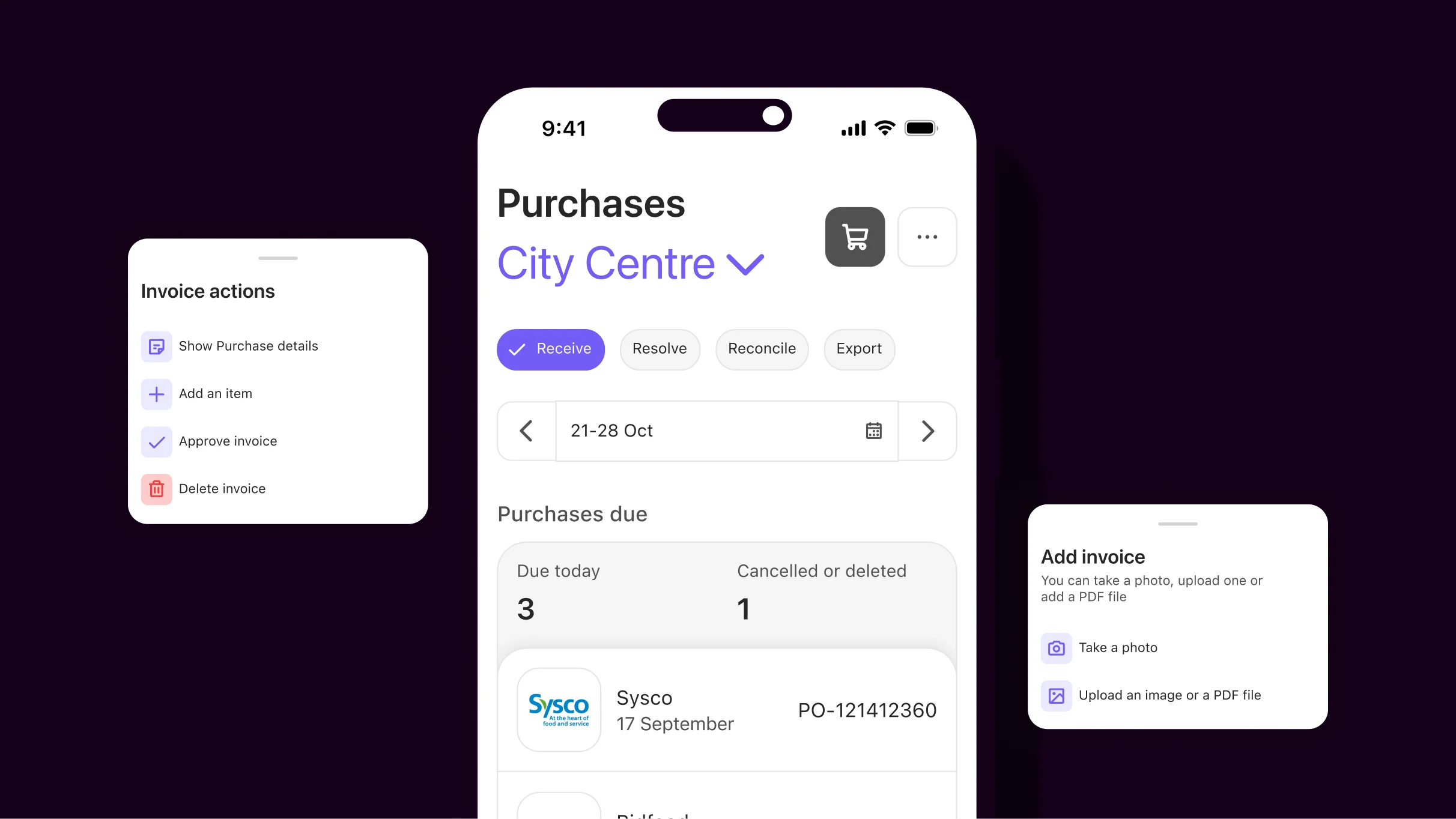
Stop checking every invoice manually, Nory's Invoicing Assistant is here

Every week, someone on your finance team opens three documents to check one invoice:
- The purchase order to see what you agreed
- The delivery note to confirm what actually arrived
- The invoice to see what the supplier is charging
Then they do it again for the next invoice, and the next one, and so on.
Most of the time, everything's fine. The price and quantities are right, but the checking still has to happen.
But what if a system could handle those checks for you?
Enter the Nory Invoicing Assistant.
What is Nory’s Invoicing Assistant?
Nory’s Invoicing Assistant automatically matches supplier invoices against purchase orders and goods received notes. The invoice matching restaurant software checks every line for price and quantity discrepancies before sending exceptions to your team for review.
Recommended reading: How to improve restaurant invoice management.
Why is it ideal for operators?
Nory takes the repetitive work out of invoice matching, so your finance team spends less time checking invoices and more time dealing with the exceptions that actually need their attention.
Let’s look at the benefits of the Invoicing Assistant in more detail.
It matches invoices using the documents you already have
Nory already has the documents it needs, so you don't need to upload or export anything.
You raise purchase orders in the system, and you log deliveries and goods received notes. When an invoice arrives, Nory uses these documents to verify accuracy or flag discrepancies.
Nory can match them automatically as soon as the invoice or delivery note arrives. Nobody needs to start a check or move information between systems to verify if the invoice is accurate.
Keeping everything in one system also means the information carries through from one stage to the next. The order gives finance the agreed price, the delivery record gives it the quantity that actually arrived, and the invoice gives it what the supplier wants to charge.
The Invoicing Assistant brings those three pieces together automatically instead of asking someone to do it manually.
It checks every invoice line against what you ordered
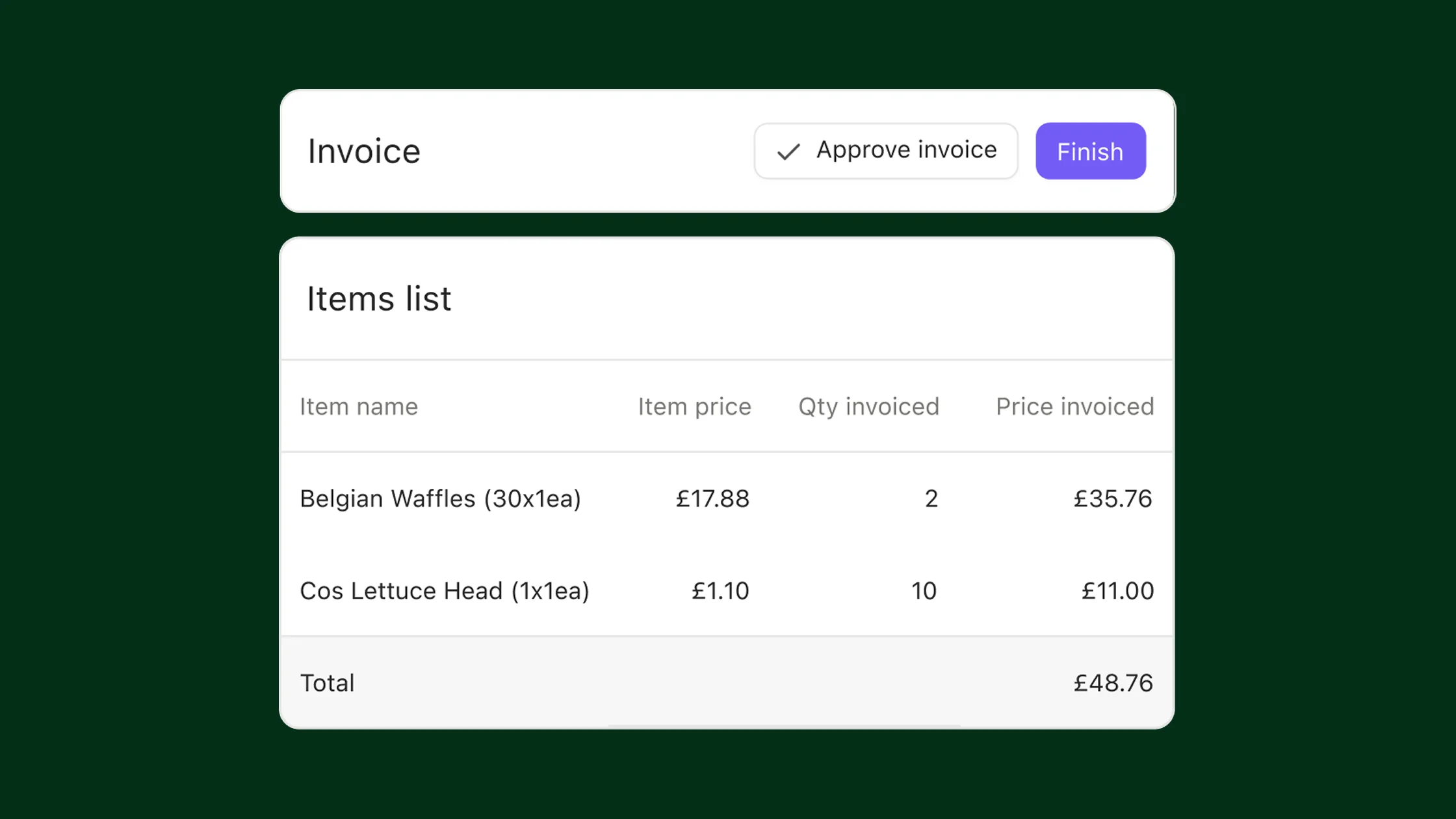
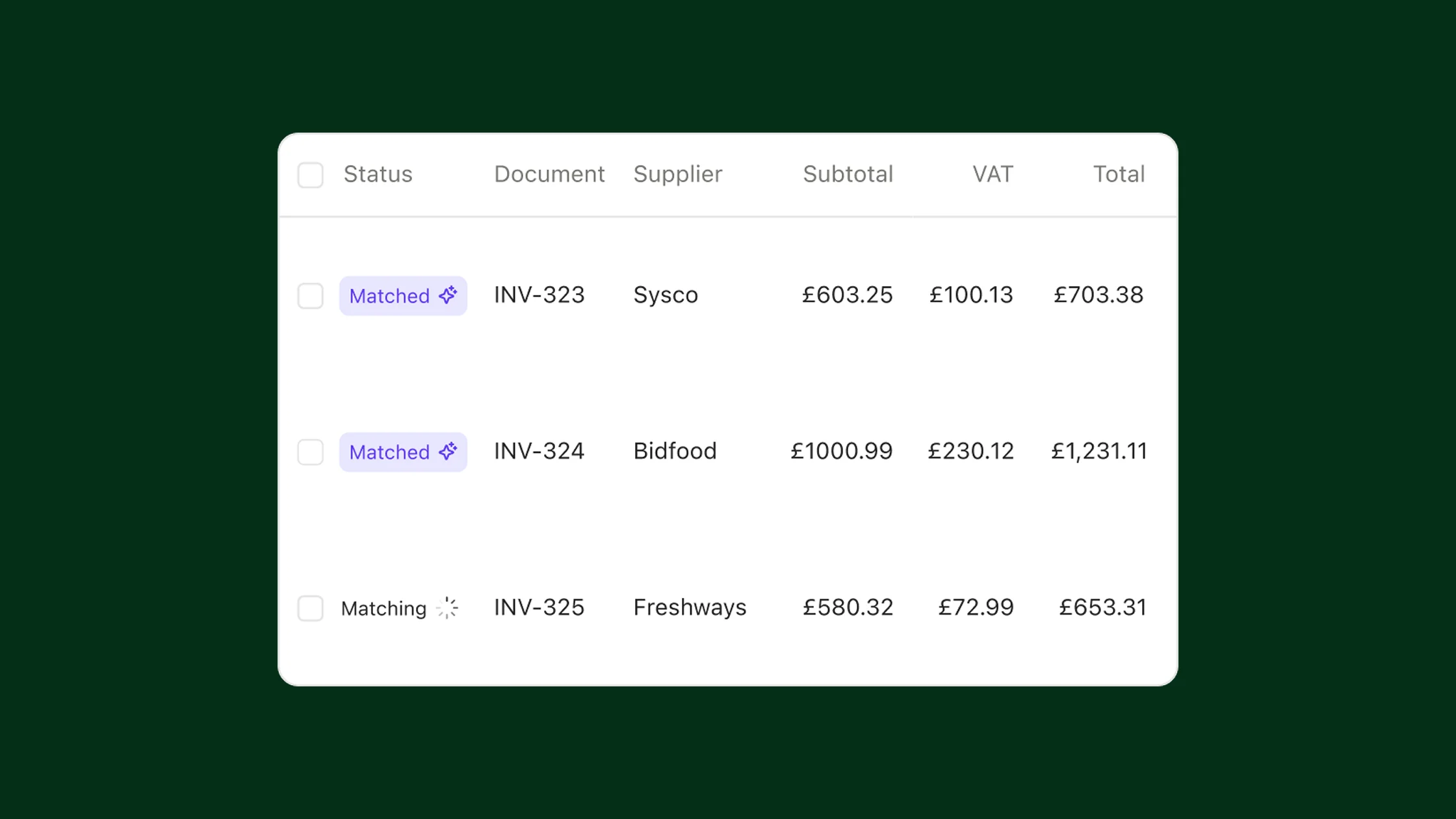
When you have a purchase order, Nory runs a three-way match, which means it checks the invoice against what you ordered and what you received before approving it. The goods received note confirms the quantity and the purchase order confirms the agreed price.
The Invoicing Assistant matches items using item codes rather than names, so a supplier changing a product name won't break the check. The system also uses zero tolerance, so it flags every discrepancy.
Side note: If you don't have a purchase order, Nory can still check the invoice against the delivery note for quantity (but without a purchase order, it can't verify the price).
It highlights exceptions to your team
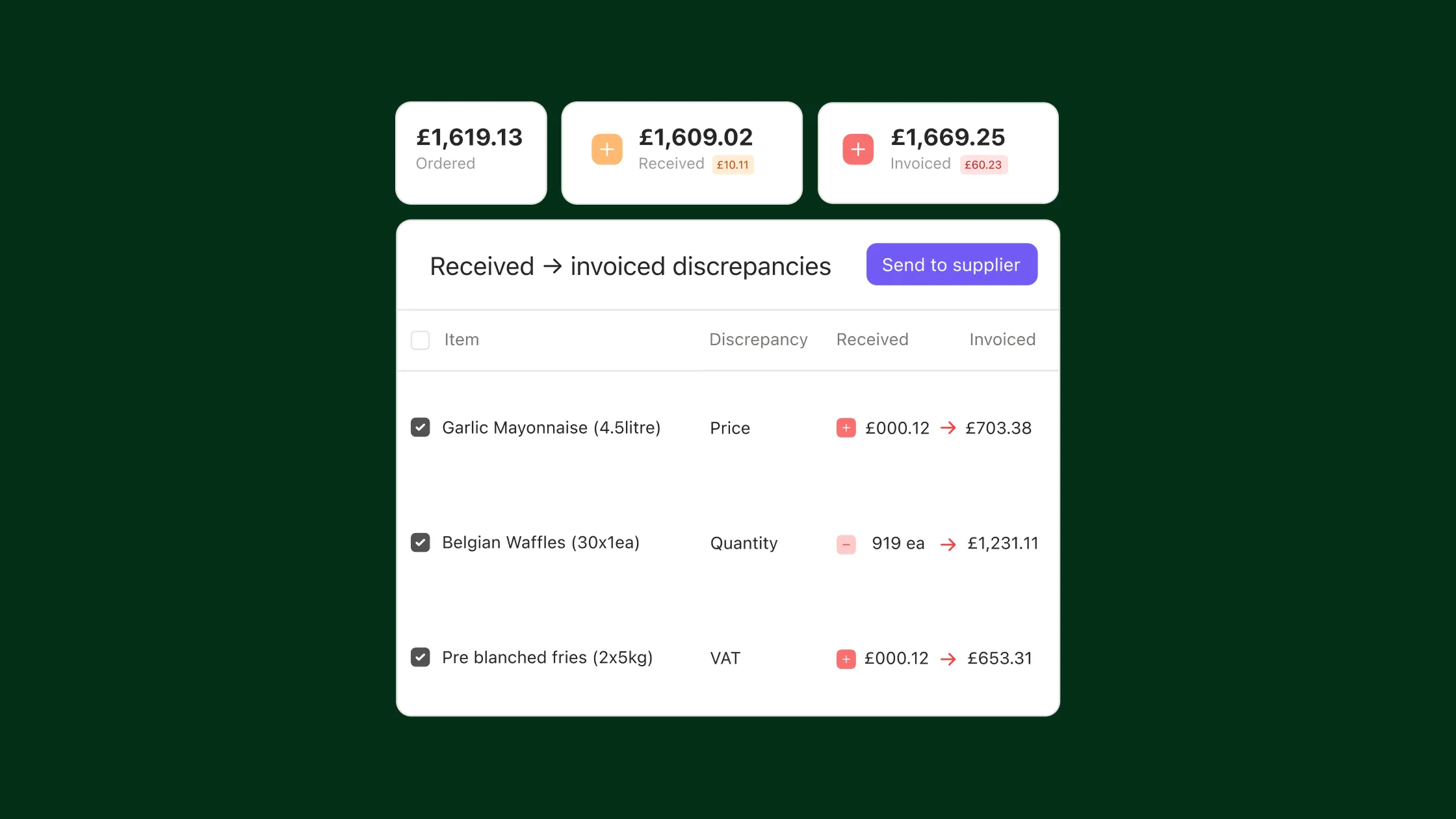
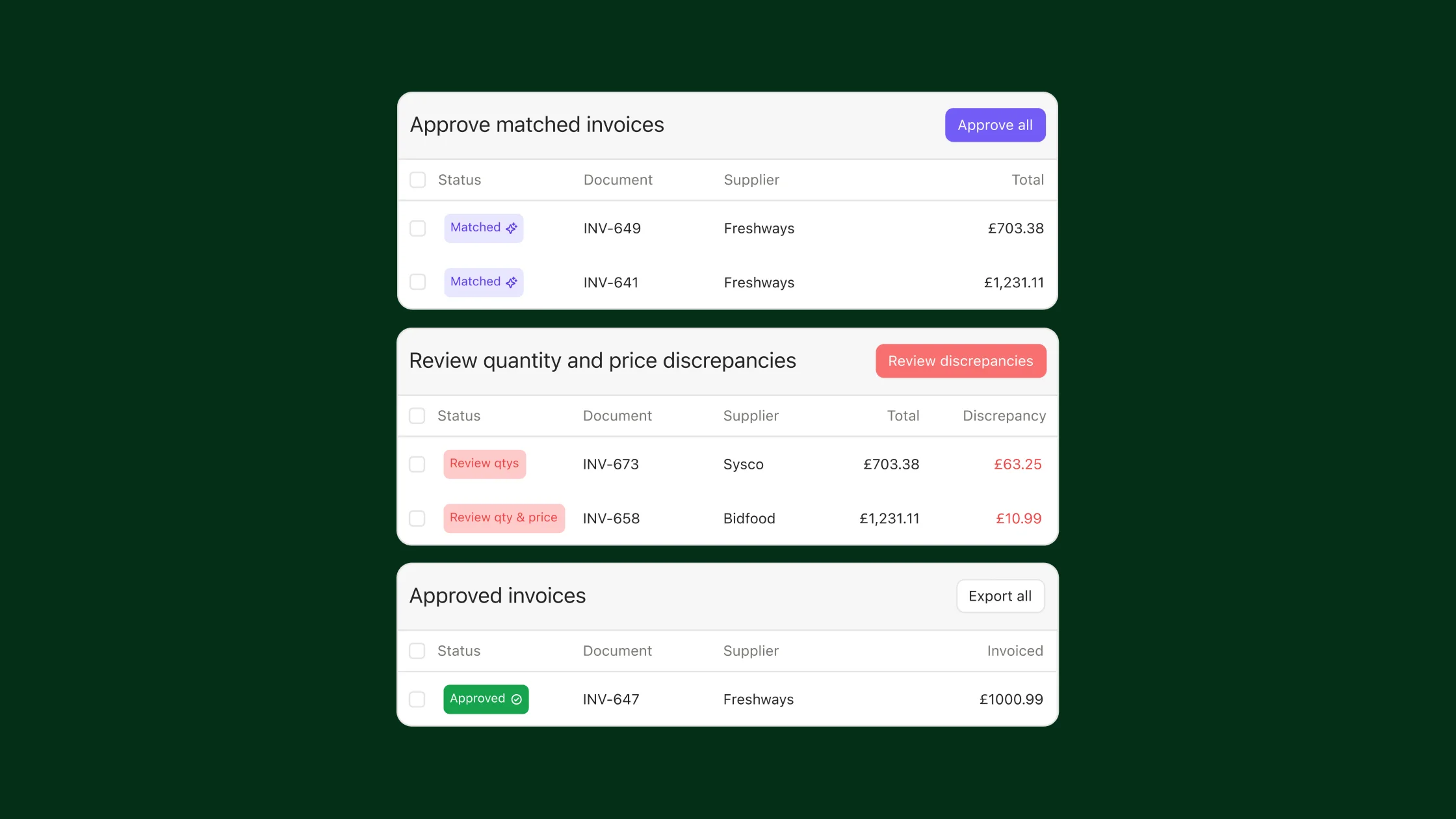
Nory marks invoices that match as ready for your team to approve, and highlights anything that doesn't for review. As a result, your team spends less time sifting through accurate invoices and focuses on those that don’t add up.
The system also gives each invoice a clear status to make it easy to see what’s going on, whether that’s a price issue, quantity issue, or a problem that prevents the match from running.
The pre-check catches duplicate invoices and missing documents. When you fix the underlying issue, Nory runs the match again automatically. If an invoice is waiting for a delivery note, the system keeps it pending until you log the delivery.
Side note: The Invoicing Assistant does the checking, but it doesn’t make the final call on a discrepancy. A manual approval is a deliberate decision, so your team is still responsible for approvals.
It keeps a record of every invoice approval
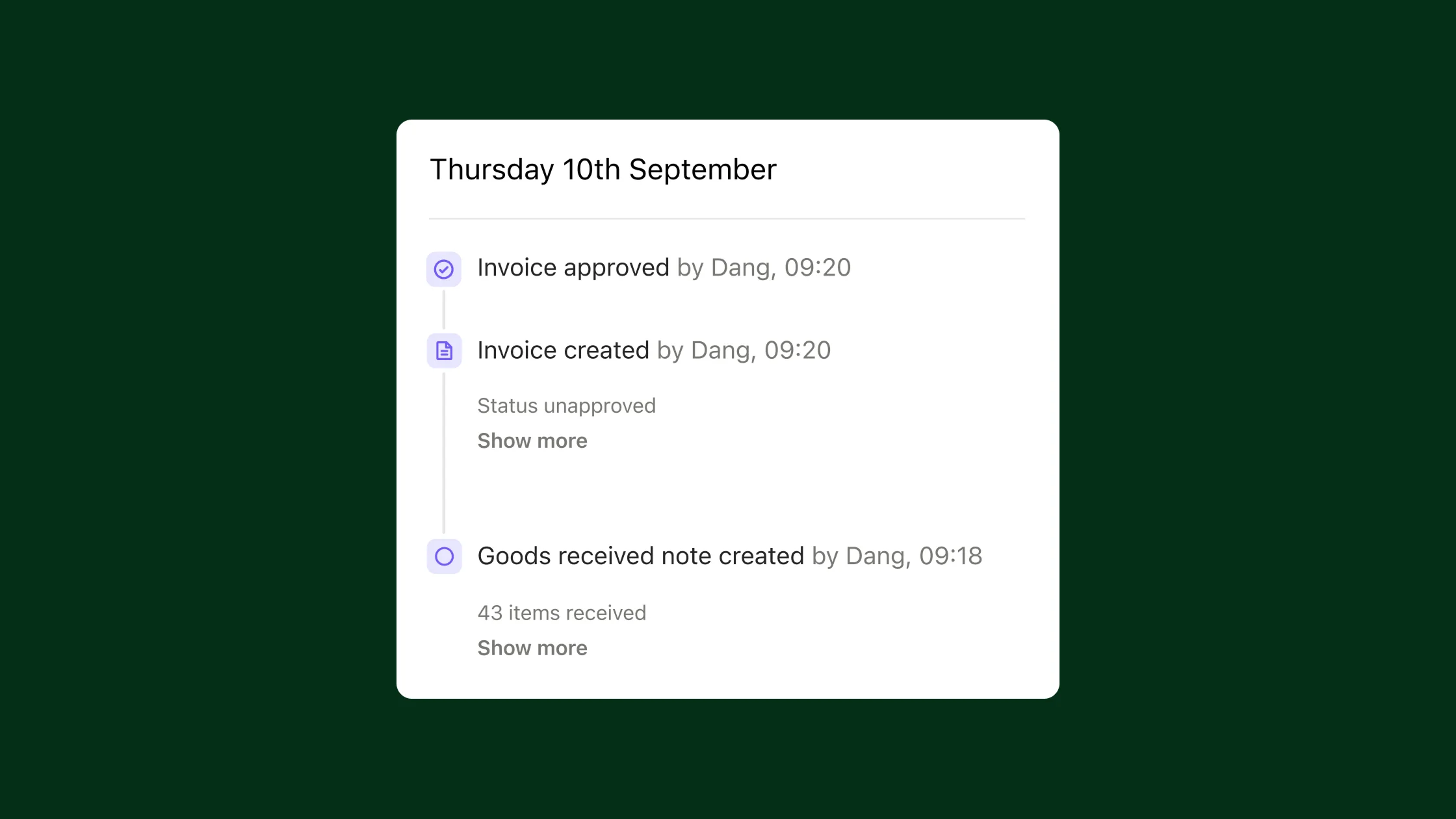
Nory records every approval, both the matched invoices your team approves in a click and the flagged ones someone approves after reviewing a discrepancy.
Say that the Invoicing Assistant flags a discrepancy. You review it and decide it's acceptable, so you manually approve the invoice. Nory records that decision, including the reason, in the audit trail. If someone asks why you approved the invoice, you have a record of what happened.
One important detail: Manual approval is final. Nory won't re-check that invoice later if the underlying documents change. Manual approval is designed for exceptions you've actually reviewed, not for clearing a queue without looking at it.
Get started with Nory’s Invoicing Assistant today
Invoice matching works when you already use Nory to run purchasing and goods receiving. If you don't use those parts of Nory yet, reach out to the team to get up and running as soon as possible!
If you don’t already use Nory, you can book a call with us to get started and start simplifying your invoice management.
FAQs about Nory’s Invoicing Assistant
How does automated invoice matching work?
Automated invoice matching compares each supplier invoice against the purchase order and goods received note, checking price and quantity line by line. When all three documents are present, Nory’s Invoicing Assistant runs a full three-way match, automatically: quantity against the delivery note, price against the purchase order. It runs the moment an invoice or delivery note arrives, marking clean invoices for approval and flagging discrepancies for review.
What happens when an invoice doesn't match?
Nory gives the invoice a clear status (a price issue, a quantity issue, or a pre-check failure like a duplicate or missing document) and sends it to your team for review. Fix the underlying issue
What happens after invoice approval, and are credit notes handled?
Approved invoice moves into your existing accounts payable process (Nory doesn't move money or replace that process).
And yes, Nory handles credit notes through EDI at the moment. We have manual credit notes coming later this year, so stay tuned for updates!
How does the Invoicing Assistant work with the other AI agents?
Nory’s other AI assistants play a crucial role in the restaurant invoice approval workflow. The Forecasting Assistant predicts demand, while the Ordering Assistant works out what to order based on demand and current stock levels. The Invoicing Assistant then steps in to compare supplier invoices with the order and delivery.
What is restaurant accounts payable automation?
Restaurant accounts payable automation uses software to streamline invoice processing, matching, approval, and payment workflows, reducing manual admin for finance teams.
How does invoice discrepancy flagging work?
Invoice discrepancy flagging identifies differences between an invoice and the purchase order or delivery note and sends them to your team for review.